
Net a Fish Beginner Guide: Catch More and Earn Cash
Use this Net a Fish beginner guide to improve your catches, build showcase income, choose net upgrades, manage helpers, and prepare for your next rebirth.

Early Game: Turn Your Catches Into Income
Your best catch can keep paying long after you reel it in. This Net a Fish beginner guide explains how to turn fish into showcase income and spend that cash on useful upgrades. Learn that loop before chasing every giant creature swimming past your dock.
1. Finish the Tutorial and Learn the Fishing Loop
Follow the tutorial prompts at your dock, then repeat these steps:
- Throw your net into the water.
- Let fish enter it, watching its capacity.
- Reel in your catch.
- Open the cooler to manage your fish.
- Use Equip Best to place your strongest available fish in your showcase.
- Collect the cash your displayed fish generate.
The cooler connects catching, displaying, selling, and fusing fish. Get comfortable with it early so new catches become useful income instead of sitting unnoticed in storage.
2. Refresh Your Showcase After Better Catches
Your pool generates cash every second from showcased fish. After catching something valuable, open the cooler and use Equip Best again.
Compare the income values on your fish rather than choosing by appearance. A huge creature passing your dock is exciting, but your immediate goal is improving what your showcase earns.
Keep collecting that income manually unless you have Auto Collect. Earning cash and picking it up are separate parts of the loop.
Official page: Net a Fish (roblox.com)
Net Upgrades: Read the Properties Before Buying
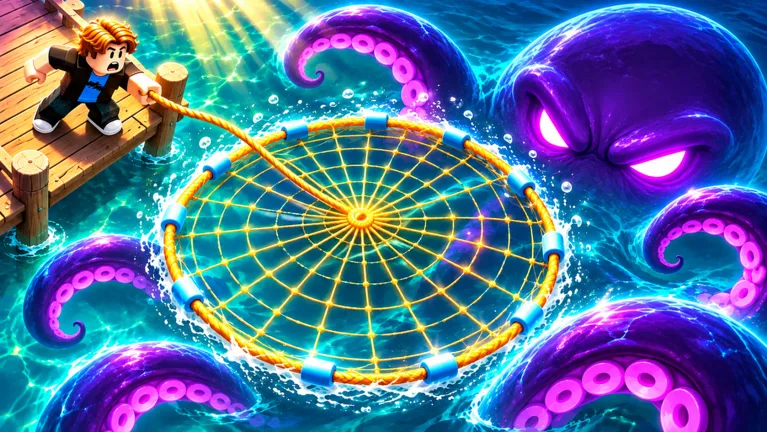 Image: Roblox / UpdatesDev
3. Upgrade the Limit You Are Actually Hitting
Open Upgrades → Nets and compare your equipped net with the next available purchase.
| Net property | What to check |
|---|---|
| Capacity | Whether the net fills before you want to reel it in |
| Width or area | How the purchase changes coverage |
| Up-to rarity | Whether the net can catch your target rarity |
| Prerequisite | Which previous net you must own |
| Price and currency icon | What the purchase requires |
Buy capacity when frequent full nets interrupt your fishing. Check the rarity limit when the fish you want are beyond your current net’s reach. Read width separately: more coverage and a higher rarity ceiling are different upgrades.
A late-game Celestial Net has 170 capacity, 38.5 ft width, and an up-to-Demigod limit. Those separate fields explain why a net’s name alone tells you too little about its capabilities.
4. Follow the Functional Net Chain
If you can afford a net but its card remains locked, read the prerequisite text. Some purchases require the previous net first.
Keep Net Skins separate from the functional purchase chain. Check the next net card’s ownership requirement before spending on a skin.
Helpers: Upgrade More Than Your Own Net

5. Match Fisherman Upgrades to Their Effects
The Fisherman has separate controls for several parts of its catch cycle:
| Upgrade | Effect |
|---|---|
| Fishing Rod | Improves the ability to reel in rarer fish |
| Bigger Bucket | Increases fish returned per catch |
| Quick Hands | Shortens the interval between catches |
| Range | Extends casts, improving the chance of bigger fish |
Read each preview before buying. Choose Quick Hands when you want shorter catch intervals, or Bigger Bucket when you want more fish from each catch.
Your net and your Fisherman improve different parts of fishing, so compare both screens when deciding where to spend.
6. Remember the Boat and Spear Gun
The boat and spear gun also catch fish for you. The boat functions as a fishing helper, so include it in your upgrade checks alongside the Fisherman.
Once you have these helpers, revisit their individual upgrade screens. Avoid spending every available dollar in the Nets tab while overlooking the other equipment already bringing fish back to your dock.
Resources: Manage Fish, Bait, and Rewards
7. Review Fish Before Selling or Fusing
Refresh your showcase before selling surplus catches. Then inspect what remains in the cooler and compare your selling and fusion options.
Fusion uses stacks of fish to produce upgraded forms. The ladder includes 10 fish → Shiny and 8 Shiny → Gold. Check the cooler’s fusion options before selling the duplicates you are collecting toward an upgrade.
If you use auto-sell, inspect the selected rarity threshold carefully. Raising it includes more fish in automatic selling, so choose the cutoff around what you intend to keep.
8. Equip Bait and Claim Available Rewards
Buying bait and selecting it for use are separate actions. After visiting the bait shop, check which bait is equipped and read its displayed effect before buying more.
Also make room for these checks between fishing cycles:
- Open the Index and claim available discovery rewards.
- Check Quests for rewards ready to collect.
- Claim available daily rewards and free gifts.
- Use an available spin when the wheel offers one.
Claim rewards before evaluating your next purchase; the extra cash can change which upgrade you can afford.
Rebirth: Read the Requirements Before Confirming
9. Check Every Requirement
Rebirth supports progression into new worlds and larger rewards. Open its panel and read the current requirements before committing.
Cash is only part of the check: rebirth requirements can also include a fish count. If you have enough money but still fall short, keep catching and inspect the remaining requirement.
Rebirth resets your money. Review the confirmation screen before accepting, especially when deciding between another purchase and beginning the next progression cycle.
10. Revisit the Skill Tree
Rebirth also connects to skill points and the skill tree. Open the tree after rebirthing, inspect your available points, and read each upgrade before spending.
Make this part of your routine alongside checking the cooler and equipment. Points sitting in the tree do nothing for the purchases you have left unselected.
Optional Passes: Separate Convenience From Upgrade Stats
11. Read the Exact Benefit Before Spending Robux
Passes offer different benefits, so choose by the task you want help with:
- Auto Throw — 29 Robux: casts your net automatically while you are inside your base.
- Auto Collect — 49 Robux: collects money from your showcase automatically.
- Big Net — 149 Robux: adds +50% Net Size.
- 2x Money — 399 Robux: doubles money from showcased fish.
Auto Throw handles casting; Auto Collect handles showcase cash. Check the Roblox purchase prompt for the pass you intend to buy.
12. Set Goals Around Your Own Setup
Automation and money multipliers change how quickly a fishing session moves. Set your next goal using your current showcase income, net limits, and rebirth requirements.
If your net fills quickly, compare capacity upgrades. If its rarity ceiling blocks your target, inspect the next functional tier. If your showcase has stronger replacements waiting in the cooler, equip those fish before shopping.
Continue with
 Net a Fish How to Make Money: Showcase & Upgrade TipsNet a Fish how to make money guide: boost showcase income, sell spare fish, upgrade nets and helpers, and use rewards to keep your next purchases moving.
More in Guide
See all Guide
Continue exploring
Join the community
Official channels for news, updates and player help: