
Net a Fish Roblox Guide: Nets, Rebirths, and Rare Fish
Master Net a Fish Roblox with tips on nets, showcase income, helpers, fish fusion, and rebirths. Learn what to upgrade and how to use your catches wisely.
Jump to
How to Play Net a Fish
Your best catch can keep paying long after you pull it out of the water. Net a Fish Roblox combines net fishing with a showcase that earns cash every second. Build that income, upgrade your fishing equipment, and work toward rebirths that unlock new worlds and bigger rewards.
Start with this loop:
- Throw your net. Let passing fish enter it, then reel in your catch.
- Open the cooler. Review the fish you caught and use Equip Best to fill your showcase.
- Collect showcase cash. Displayed fish generate income that you can spend on upgrades.
- Improve your equipment. Buy stronger nets and upgrade the helpers catching fish alongside you.
- Check your rebirth requirements. Work toward the remaining requirements while keeping your showcase productive.
The cooler and showcase serve different purposes: the cooler holds catches for management, while showcased fish earn ongoing cash. Check Equip Best after a valuable catch so a stronger fish does not sit unused in storage.
Upgrade Your Net and Fishing Helpers
A large fish swimming past your dock is only an opportunity if your equipment can catch it. Stronger nets matter because insufficient net strength can prevent you from landing larger fish.
 Image: Roblox / UpdatesDev
Check your net upgrades when fish repeatedly escape your current equipment. Keep an eye on capacity, too: a full net needs reeling in before you can continue catching with it.
Your dock also has three fishing helpers:
- Fisherman: Catches fish alongside your net.
- Spear Gun: Adds another way to catch passing fish.
- Boat: Goes out to catch fish automatically.
The boat is a fishing helper rather than a vessel you need to drive. Upgrade it and its engine through the available upgrade options.
Spread upgrades across the equipment you are using. If your next net is expensive, compare that goal with the helper upgrades you can already afford. When a rebirth requirement is holding you back on fish caught rather than money, focus your attention on catching equipment.
Buy Bait, Then Equip It
Buying bait and using it are separate actions. Visit the bait shop, purchase your chosen bait, and equip it before returning to your net.
Read the bait’s displayed effect before spending heavily. Match the purchase to the stat you want to improve instead of choosing only by price.
Manage Your Cooler, Fusion, and Auto Sell
Selling fish gives you immediate cash, but a fish that improves your showcase has another use. Equip your strongest catches before clearing inventory, then review the fish left over.
Use the cooler’s rarity and odds sorting options to inspect your collection. Avoid selling an entire rarity simply because one fish in that group no longer helps your showcase.
Fuse Stacks Before Clearing Them Out
Fish fusion turns accumulated stacks into upgraded forms. The fusion ladder includes 10 fish becoming a Shiny and 8 Shiny becoming a Gold.
Check your available fusions before selling duplicates. After fusing, use Equip Best again to update your showcase.
The Auto Fuse pass costs 199 Robux and handles eligible stacks automatically, continuing through the fusion ladder. Keep fusion separate from inventory cleanup in your decision-making: fish you sell are no longer available for a stack.
Set Auto Sell Around What You Still Need
Auto Sell lets you select rarity categories for automatic selling. Start by selecting categories you have already decided to clear, then revisit those settings as your collection changes.
Review your fusion plans before enabling a category. An aggressive selling setup can work against your goal of collecting enough duplicates to fuse.
Rebirth and Spend Your Skill Points
Rebirth is part of the progression path toward new worlds and larger rewards. It also resets your money, so review the requirements and rewards before confirming.
Cash is not the only requirement to watch. Later progression can leave you waiting on a fish-catching requirement even when you already have enough money.
Open the rebirth screen and identify what remains:
- Short on money? Refresh your showcase with Equip Best and collect its earnings.
- Short on fish caught? Keep casting and upgrade your fishing helpers.
- Have skill points available? Open the skill tree and read the available upgrades before choosing a branch.
Check the skill tree after rebirthing. Leaving points unspent means postponing upgrades you could already be using.
Avoid treating a rebirth as a reason to stop managing your dock. Return to your showcase, net, and helper upgrades as you resume earning.
Claim Index Rewards, Gifts, and Codes
New catches also contribute to your fish index. Open it regularly and claim completed rewards rather than leaving them waiting while you save for equipment.
Keep an eye on quests, daily rewards, gifts, and available spins. Spins can award pearls or cash-related rewards, giving you another reason to check the reward menus between fishing upgrades.
The game’s code lineup includes ANCIENT, 500KVISITS, 250KVISITS, 100KVISITS, GENESIS, ABSOLUTE, and BOUNDLESS.
Enter codes exactly as written. For additional codes and game updates, use the community access available through the official Net a Fish experience page.
Understand Pets and Paid Automation
Pets hatch from Ocean Crates and Abyss Crates. They can hunt fish, and the pet system also includes money bonuses. Open the pet menu after hatching and review what you can equip.
The +1 Pet Slot pass costs 399 Robux and allows two pets out simultaneously. Both hunt fish, and the second pet’s money bonus adds to the first.
For dock automation, distinguish between casting and collecting. Auto Throw costs 29 Robux and casts your net while you are inside your base. Auto Collect costs 49 Robux and gathers money from your showcase.
Choose purchases around the action you want automated. Auto Collect handles showcase money; Auto Throw handles net casting.
Other passes change specific parts of your setup:
- Big Net costs 149 Robux and increases net size by 50%.
- 2x Money costs 399 Robux and doubles income from showcased fish.
- Extra Showcase costs 299 Robux and adds 3 showcase slots.
- Turbo Helpers costs 499 Robux and makes the Fisherman, Boat, and Spear Gun work 50% faster while bringing in double the fish.
Compare each effect with your current equipment and showcase before purchasing. Extra display slots need fish to fill them, while helper bonuses apply to those fishing helpers.
Watch for Waves, Bosses, and Crew Activities
Tsunami warnings and extreme waves interrupt the dock’s usual rhythm. Keep track of your net during these events, and reel it in when it fills rather than overlooking it while watching the water.
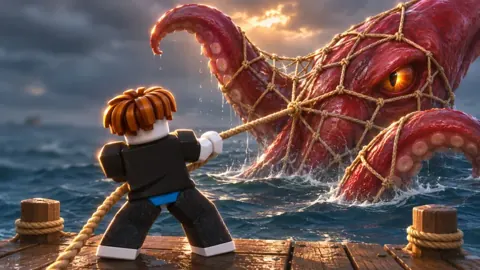
Boss encounters include the Megalodon and Kraken. The Kraken can escape, so pay attention when it approaches your dock instead of leaving the encounter entirely to your normal fishing routine.
Crews add a social progression option, including Crew Wars. Visit the hub to find the crew features, along with trading, quests, potions, and the pearl shop. Servers support 8 players, so coordinate with friends when you want to fish together or explore crew activities.
Continue with
 Net a Fish Beginner Guide: Catch More and Earn CashUse this Net a Fish beginner guide to improve your catches, build showcase income, choose net upgrades, manage helpers, and prepare for your next rebirth.
More in Guide
See all Guide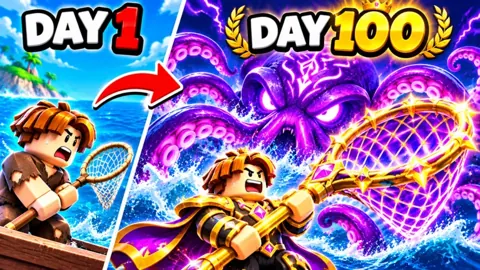
Continue exploring
Join the community
Official channels for news, updates and player help: